Understanding TradingView: An Overview
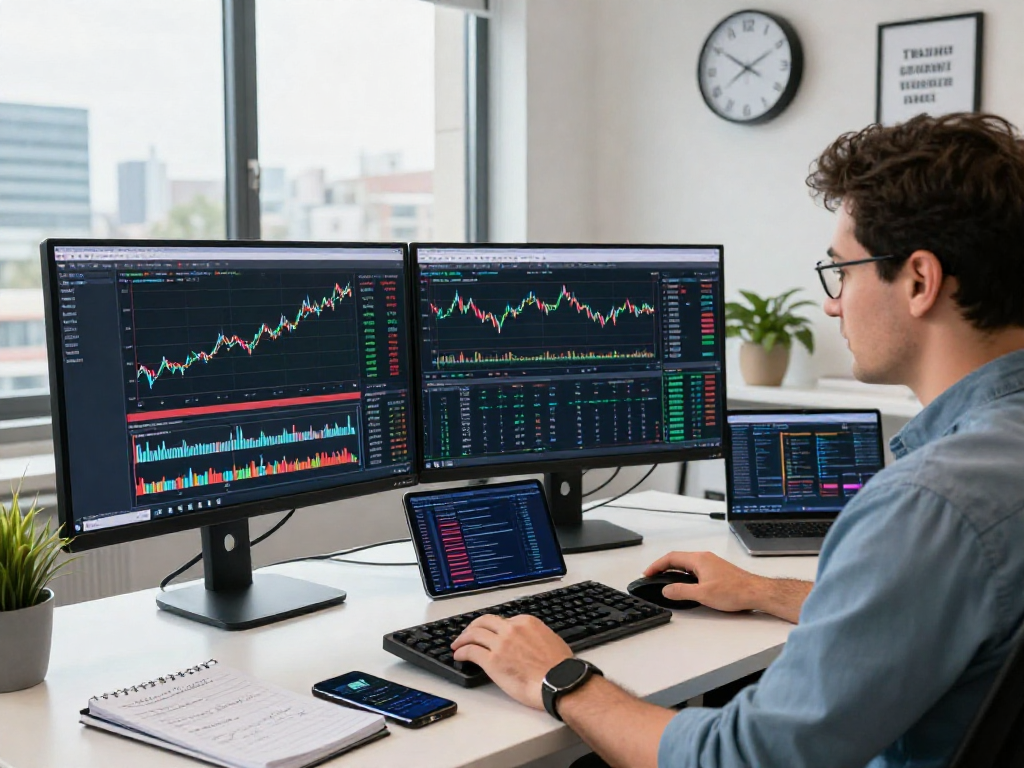
In the rapidly evolving landscape of financial trading, TradingView emerges as a pivotal tool, integrating a plethora of features tailored for traders across stocks, forex, cryptocurrencies, and derivatives. This platform streamlines research processes by consolidating charts, indicators, news, and strategy testing into a singular workspace. By adopting TradingView, users can transition from initial market observation to live trading within a cohesive, user-friendly interface.
What is TradingView and Its Core Features?
TradingView is a powerful online platform that offers advanced charting capabilities, social networking features, and market analysis tools. Its core features include:
- Interactive Charts: Users can access customizable charts with various technical indicators.
- Social Features: The platform allows traders to share ideas and strategies, fostering a collaborative environment.
- Market Coverage: TradingView supports a wide array of markets including stocks, forex, cryptocurrencies, and commodities.
- Custom Alerts: Traders can set personalized alerts based on price movements and technical conditions.
- Pine Script: This built-in scripting language allows users to create custom indicators and automated trading strategies.
How TradingView Integrates Various Markets
TradingView stands out for its seamless integration of multiple asset classes within a single platform. This integration is crucial for traders who diversify their portfolios across different markets. The platform's versatility allows users to switch between stocks, forex, cryptocurrencies, indices, and futures with ease, enabling comprehensive market analysis without the need for multiple software systems.
The User Experience: Interface and Usability
The interface of TradingView is designed with user experience in mind, balancing functionality and aesthetics. The intuitive layout provides quick access to tools and features, making it suitable for both novice and experienced traders. Key aspects of the user experience include:
- Customizable Workspaces: Traders can personalize their layout with multiple chart views and indicators.
- Multi-Device Compatibility: Access TradingView on desktops and mobile devices, ensuring trading flexibility.
- Community Interaction: Engage with a global community, sharing insights and strategies in real-time.
Building Your Trading Workflow with TradingView
Establishing a robust trading workflow is essential for consistent success in the markets. TradingView provides the necessary tools to build effective trading habits that can substantially enhance performance.
Establishing Effective Trading Habits
To develop a disciplined trading approach, users should focus on creating a structured routine that incorporates market research, analysis, and strategy development. This includes:
- Daily Market Reviews: Regularly assess market conditions to identify opportunities.
- Setting Goals: Define clear trading objectives based on individual risk tolerance and investment strategies.
- Journaling Trades: Maintain a trading journal to reflect on decisions and outcomes, encouraging continuous improvement.
Utilizing TradingView's Advanced Features
Users can leverage TradingView’s advanced features to enhance their trading strategies significantly. Key functionalities include:
- Custom Alerts: Set alerts for price levels, indicator movements, or specific market events to stay updated without constant monitoring.
- Strategy Testing: Use the Strategy Tester feature to backtest trading strategies against historical data.
- Collaborative Insights: Participate in community discussions to gather diverse perspectives on potential trades.
Creating Custom Alerts and Notifications
Effective communication with the market is crucial for timely trading decisions. TradingView’s alert system allows users to create personalized notifications for various market conditions. Traders can tailor alerts based on:
- Price Levels: Set alerts for specific asset prices that trigger buy or sell signals.
- Technical Indicators: Customize alerts for indicator crossings, such as moving averages or RSI levels.
- News Events: Receive notifications about market-moving news that may impact your trades.
TradingView vs. Competitors: A Comparative Insight
In the crowded space of trading platforms, it is vital to understand how TradingView compares to its competitors. Each platform has its unique offerings, and evaluating these can help traders make informed decisions.
Evaluating Key Competitors in the Market
Some notable competitors include MetaTrader 4/5, ThinkorSwim, and eSignal. These platforms differ in features, user base, and market focus, and it’s important for traders to identify what suits their needs best. For example, while MetaTrader is primarily focused on forex trading, TradingView's multi-asset approach provides a broader spectrum for traders engaged in various markets.
Unique Advantages of Using TradingView
TradingView offers distinct advantages that position it as a top choice among traders:
- Community Engagement: The platform promotes social interaction through shared ideas and strategies.
- User-Friendly Interface: Accessible for traders of all skill levels, making it easier to navigate complex information.
- Comprehensive Tools: All-in-one solution that combines charting, analysis, and trading into one platform.
User Feedback and Community Insights
User feedback on TradingView has generally been positive, particularly regarding its comprehensive features and community-driven content. Many traders appreciate the opportunity to engage with others, share ideas, and learn from diverse perspectives within the TradingView community.
Developing Winning Strategies with TradingView
Creating successful trading strategies is a blend of research, analysis, and disciplined execution. TradingView equips traders with sophisticated tools to support strategy development.
Using Strategy Tester for Backtesting
The Strategy Tester enables traders to systematically evaluate their trading strategies using historical data. This helps identify potential success rates and fine-tune strategies before committing real capital. Steps to effectively use the Strategy Tester include:
- Define Your Strategy: Outline rules based on technical indicators or market conditions.
- Run Backtests: Analyze strategy performance over various timeframes to gauge effectiveness.
- Refine Techniques: Make adjustments based on backtest results to optimize trading strategies.
Implementing Pine Script for Custom Indicators
Pine Script is an intrinsic part of TradingView that allows traders to program custom indicators and strategies. This flexibility enables users to create tailored tools that fit their unique trading styles. A few practical applications of Pine Script include:
- Custom Indicators: Develop proprietary indicators that fulfill specific trading needs.
- Automated Alerts: Set alerts based on custom rules defined within the script.
- Strategy Development: Build, test, and optimize trading strategies tailored to personal risk profiles.
Real-World Case Studies of Successful Strategies
Success stories from TradingView users illustrate the effectiveness of its features in developing robust trading strategies. By leveraging the platform’s community insights and advanced tools, traders can adapt their methods for evolving market conditions. Examples include:
- Adaptive Trend Following: Traders have successfully implemented trend-following strategies using custom indicators to identify optimal entry and exit points.
- Risk Management Techniques: Many users have utilized the platform's features to set and monitor risk parameters effectively.
The Future of TradingView: Trends and Predictions
As the trading landscape continues to evolve, so does TradingView. Anticipating future trends can help users stay ahead and capitalize on emerging opportunities.
What to Expect in 2026 and Beyond
In the coming years, TradingView is expected to enhance its offerings, focusing on user experience and integration of advanced technology. Possible developments may include:
- Increased AI Integration: Leveraging artificial intelligence for more precise market analytics and predictive insights.
- Enhanced Community Features: Developing tools to facilitate deeper community engagement and collaboration.
- Broader Market Access: Expanding the range of available markets and trading instruments.
Emerging Technologies in Trading
Emerging technologies such as machine learning and blockchain are likely to influence trading in transformative ways. As these technologies mature, platforms like TradingView will incorporate them to enhance trading capabilities and security. Traders should be aware of these trends to adjust their strategies accordingly.
Preparing for Market Dynamics and Challenges
Market dynamics are continuously changing, influenced by economic factors, geopolitical events, and technological innovations. To navigate these challenges, traders should remain flexible and adapt their strategies based on evolving conditions. Continuous education and resource utilization, such as the tools provided by TradingView, can foster resilience and adaptability.
What is TradingView's Role in Market Evolution?
As a leading charting and trading platform, TradingView plays a crucial role in shaping how traders interact with the market. By providing advanced tools, extensive market coverage, and a community-driven environment, it empowers individuals to make informed trading decisions and adapt to the fast-paced nature of financial markets.